Naver Map setup
The map app Koreans actually use. Five minutes at home saves you hours here.
Why not Google Maps?
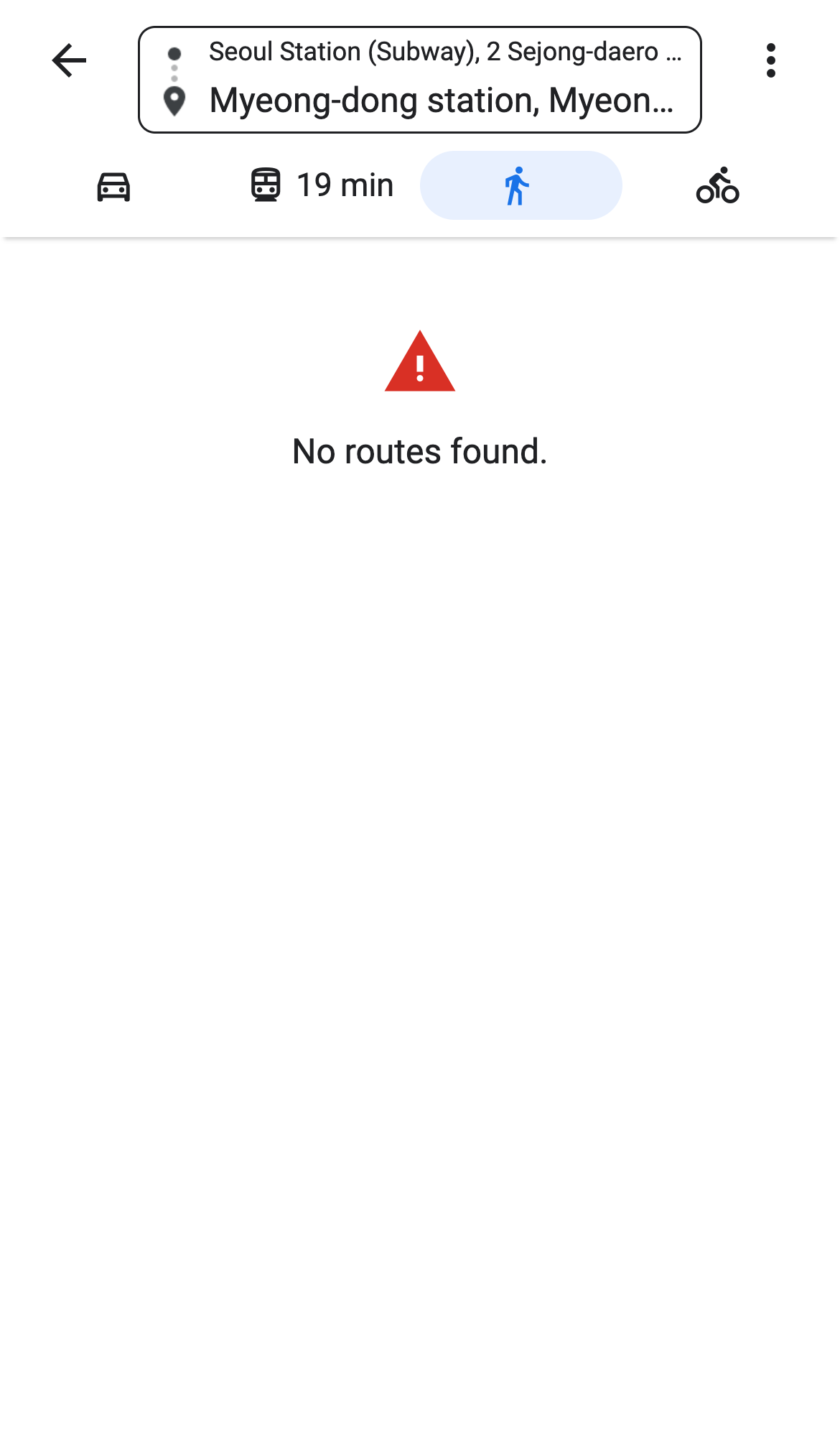
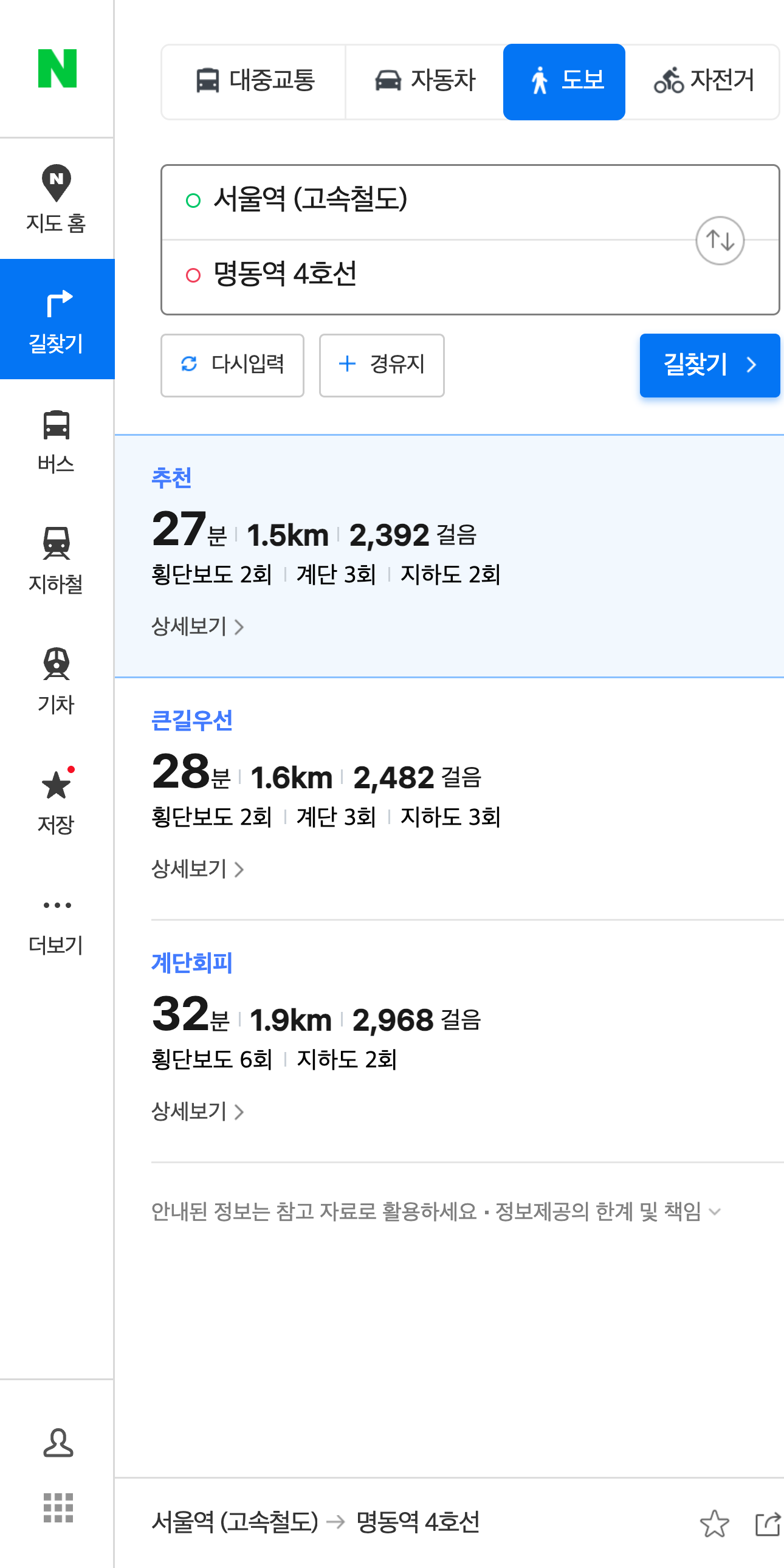
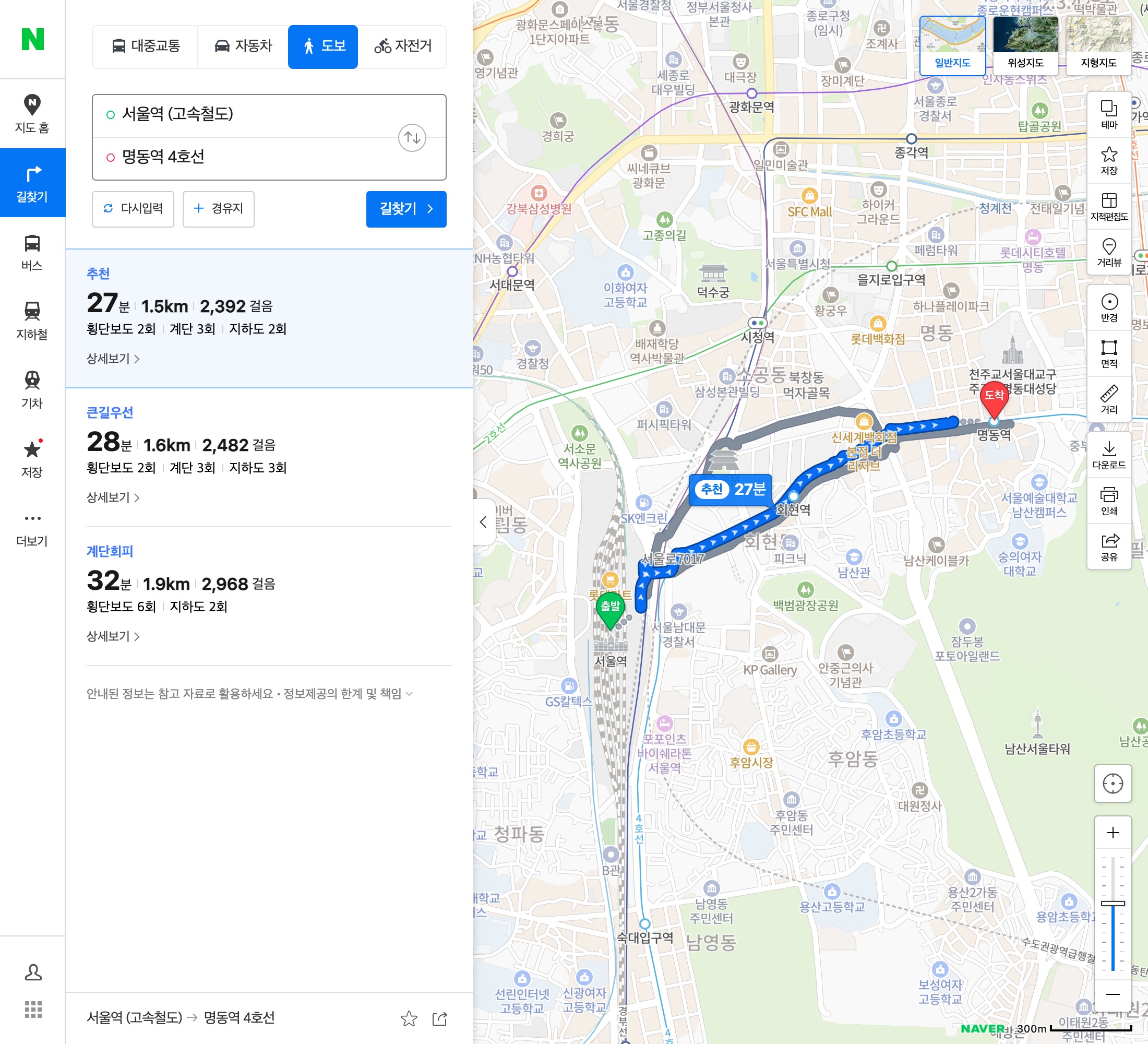
We asked Google Maps for a walk from Seoul Station to Myeong-dong Station. It said "No routes found." Naver Map gave a walking route for the same trip.
Google MapsWalking: no route
Naver MapWalking: 27 min, 1.5 km
1. Install
Search NAVER Map in the App Store or Google Play and install it. Do it at home, on Wi-Fi.
2. Switch to English CHECKED
MY→Settings→Language→English
Menus are now in English. Many place names still show in Korean, which is fine: it is what you show the driver.
3. Search, then walk or ride
- Type a place or station in English in the search bar and pick the right result.
- Tap Directions. Your current location is usually set as the start.
- Choose Walk or Transit at the top and pick a route.
Button names may differ slightly by app version. NOT YET CHECKED IN THE ENGLISH APP
4. Save places and open a shared list
- Open a place and tap the Save (star) button. Pick or create a list, for example "Seoul trip".
- Find your lists later from the saved / MY area of the app.
- If someone sends you a Naver Map list link, open it on your phone; the app should open and let you save the list.
NOT YET CHECKED IN THE ENGLISH APP We will replace these steps with screenshots after testing on a phone.